
Check Previous Balance Tool
The Check Previous Balance tool can be used to find how much token balance an address has at a specific time or block.
To access the Check Previous Balance tool, click on the 'more' button on the address page located on the right-hand side.
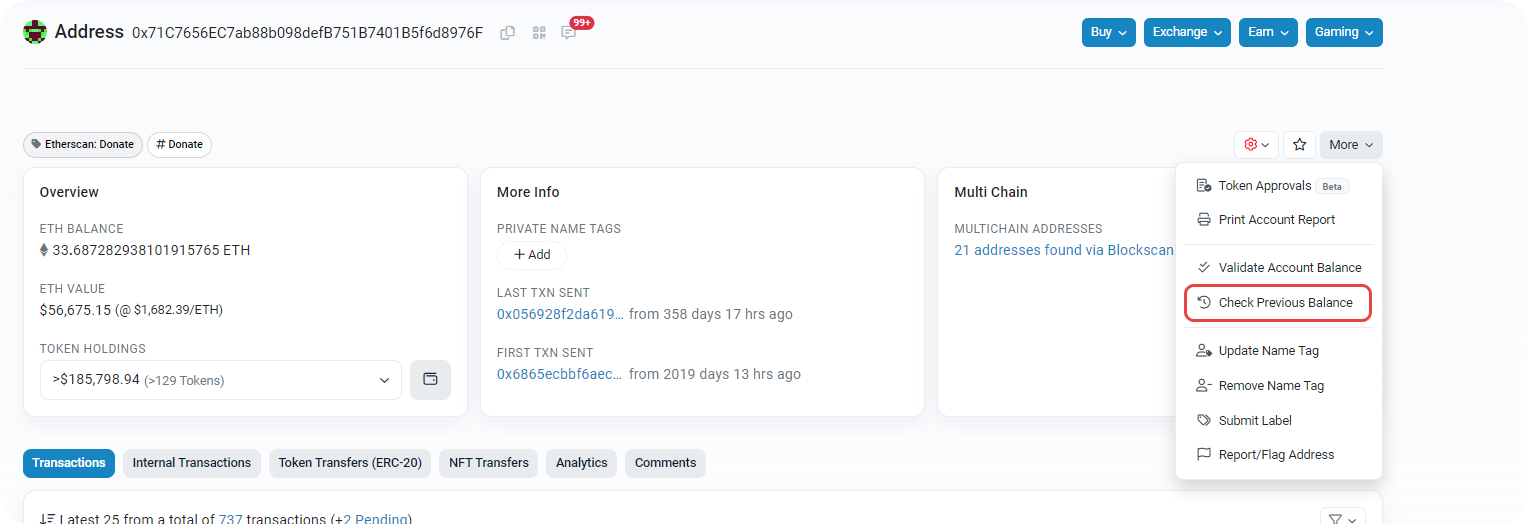
Then click on the Check Previous Balance button. You will be pointed to a page called ETH Account Balance Checker.
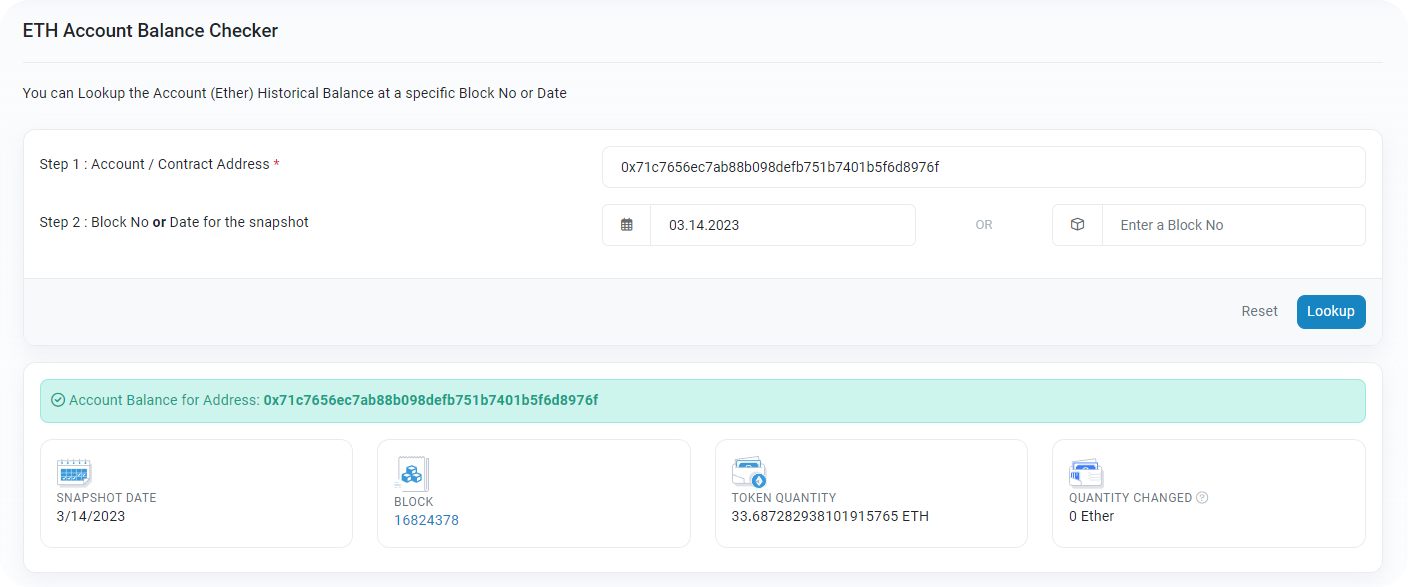
Once here, follow the steps below:
- Enter the desired address.
- Choose a date OR a block number.
- Click on 'Lookup'

You will be presented with a snapshot date, the block number, token quantity at that specific date, and changes in the amount of token the address holds represented by 'Quantity Changed'.
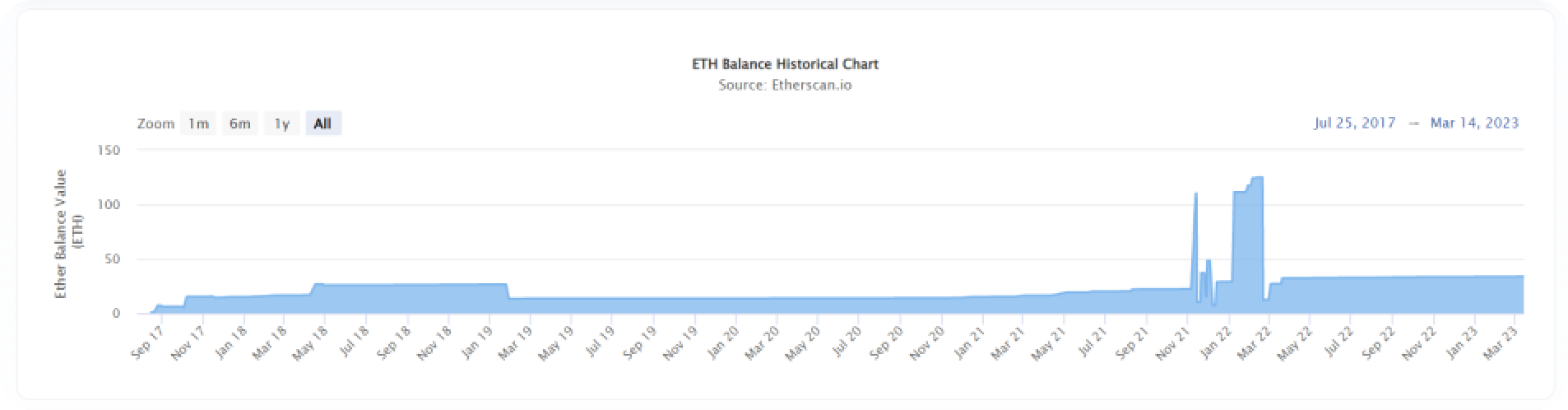
The ETH Balance Historical Chart below displays the account's ETH balance history since its first associated transaction.
💡
The date snapshot displays the account balance before the selected date, at 12:00:00 AM +UTC.
💡
Since the Ethereum Merge on September 15, 2022, the average number of Ethereum blocks per day is more than 7,000 (~12 seconds per block). For accounts that have many transactions per day, using the block snapshot to check the account balance at the selected block number is a better option.

Lutfi nizam
Published: Still Have Questions?
Supported Explorers
 Abscan
  Apescan
  Aptoscan
  ArbiScan
  BaseScan
  Berascan
  Blastscan
  BscScan
  BTTCScan
  CeloScan
  Etherscan
  Fraxscan
  HyperEVMScan
  KatanaScan
  Lineascan
  Mantlescan
  MegaETH Etherscan
  MemeCoreScan
  MonadScan
  opBNB Explorer
  OP Mainnet Etherscan
  Plasmascan
  PolygonScan
  SeiScan
  SnowScan
  SonicScan
  StableScan
  Taikoscan
  Uniscan
  WorldScan
  XDCScan
  RobinScan
  ArcScan